Microsoft Office

Working with User Accounts in Windows 8
If you have several people sharing one computer, it is important that you understand the purpose of User Accounts. Each person using a single computer can have a user account with unique settings and preferences from the one another. By creating separate accounts, the administrator of that particular computer can control which files and applications…
How To Use Fill Function in Microsoft Excel 2013
Knowing the Fill function in Excel 2013 is helpful when it comes to knowing how to categorize different types of data. Generally, using the Fill function is based on Excel’s ability to fill in similar values in other cells. To make this clear, let’s take a look at some practical examples. 1. You need to…
How To Use The Quick Access Toolbar in Excel 2013
The Quick Access Toolbar in Excel 2013 is a toolbar containing a number of commands which are very helpful in your work in Excel 2013. You can see the Quick Access Toolbar when you look at the top left corner of the Excel 2013 window. A number of really useful hot keys can be customized…
Managing Users and Switching Accounts in Windows 8
The Administrator has complete control over the PC. If you are the Administrator for a Windows 8 computer, it is important that you understand how to set-up other users in a way that not only protects the PC from users accidentally wreaking havoc, but also in a way that enables them to work with the…
How To Use The Ribbon in Excel 2013
If you are unfamiliar with the Ribbon in Excel 2013, let’s fill this gap. The Ribbon Interface is highly customizable and helps with repetitive work or if you need to focus on just a few commands in Excel. Here is an overview. How To Use The Ribbon in Excel 2013 The Ribbon is made up…
What’s New in Microsoft Excel 2013?
If you haven’t used Excel 2013 before, let’s take a quick look at the new features and improvements. Some of them are small and may rarely be used. Others, though, are very advanced and require expert knowledge. Knowing the main features will help you understand better how to work in this new software. FacebookLinkedinTwitte What’s…
How to Use the Backstage View in Microsoft Word 2013
Do you know how to use the Backstage View in MS Word 2013? To get started, click the File menu to show the Backstage View’s tab listed on the left side of the window. Info, New, Open, Save, Save As, Print, Share, Export, Close, Account, and Options are some of the items you’ll encounter. Read…
How to Use the Quick Access Toolbar in Microsoft Word 2013
The Quick Access Toolbar is a very useful feature in MS Word 2013. It’s where the most necessary commands for working with documents are found. You can customize these commands according to your needs. If you have problems using the Quick Access Toolbar or if you’re new to MS Word 2013, read this article on…
Using the Windows 8 Control Panel and PC Settings
The Control Panel is a traditional component of Windows which lets users view, manipulate and adjust computer settings and controls. However, there is new hub for changing the system settings introduced in Windows 8 which is the PC Settings. The Control Panel is still present in Windows 8’s desktop mode; not quite as obvious as…
Using Live Tiles in Windows 8
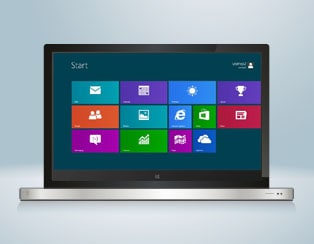
Live Tiles are interactive apps on your Windows 8 Start Screen that provide you with dynamic information and quick updates about the app without the need to launch the application. These tiles are connected to people, applications, photos, folders, or websites. To get live information, you need to have access to the internet. Each app…
Semi-Automatic Creation of an Org Chart in Visio 2010
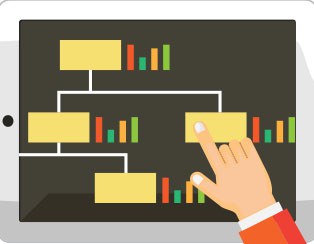
In this article, we will learn how the semi-automatic creation of an organizational chart. We will be utilizing the Org Chart tab and the Organizational Chart Shapes in doing so. Org Chart Tab in the offers many tools that we can use to create organizational charts. There are group of commands in the Org Chart…
Using Charms in Microsoft Windows 8
The Charms is one of the new user interfaces introduced in Windows 8. The purpose of the charms is to give us quick access to the important features as well as to the things that we often do such as searching, sharing links and photos, connecting to devices, and changing settings. How to display the…